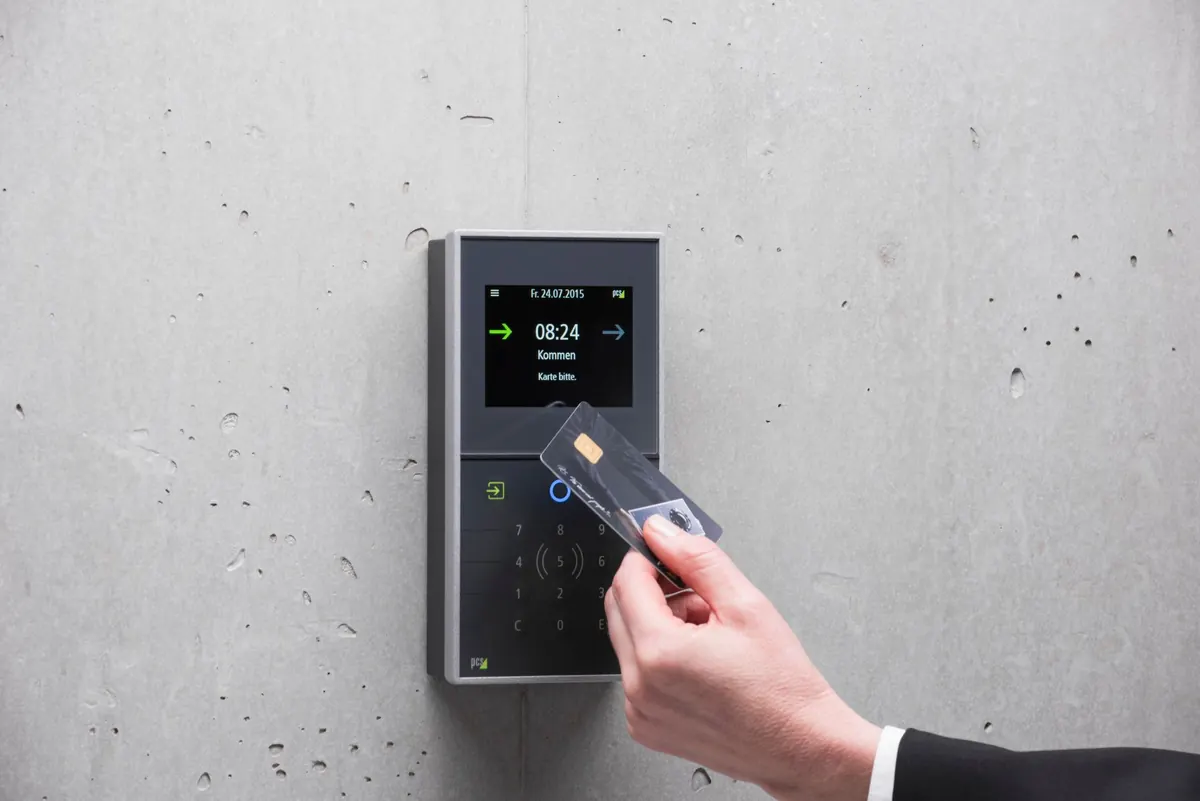
Most offices have a front door with a badge reader. You tap in at nine, and after that nobody asks who you are again. You can wander to the kitchen, the finance corridor, the room where the servers hum. That single strong wall with open space behind it is exactly how company networks were built for decades. Zero trust architecture keeps the badge reader — and adds one to every door that actually matters.
Why the castle-and-moat approach stopped holding up
The old model assumed that anything inside the building was safe and anything outside was dangerous. Work looked like that once: files lived on a server down the hall, email ran on a box in the basement, and the only way in was a desk with a network cable.
Now your colleagues work from kitchen tables, your customer data sits with an outside provider, contractors log in from their own laptops, and your phone holds more company email than your desk ever did. A single stolen password no longer gets someone into one account. It gets them a comfortable seat inside the walls, where they can move quietly for weeks. Zero trust is the response to that: stop treating "inside" as a place you can trust, and start treating every request as something to check.
Verify identity, every time, not once a day
Identity verification in a zero trust setup means asking four questions before granting access: who is asking, from what device, from where, and for what. Your password answers only the first. That's why multi-factor authentication shows up everywhere — the code on your phone, the push notification you approve, the small hardware key on your keyring.
Think about how you'd behave as a manager. If an employee asks for the payroll file at 10am from their usual laptop in the office, you hand it over. If the same request arrives at 2am from a device you've never seen, in a country your company doesn't operate in, you pause. Software can make the same judgement in milliseconds, and it will treat those two situations differently. That's why you sometimes get an extra prompt when you log in from a hotel, or get asked to re-authenticate before opening something sensitive.
Verification also applies to devices, not just people. A patched, encrypted company laptop is a different risk than an unmanaged home PC that hasn't updated since last spring.
Least privilege: the keyring, not the master key
Least privilege means giving people the access their job requires and nothing more. The cleaner gets keys to the rooms they clean. Nobody hands them the safe combination "just in case."
Most organisations drift the other way. Someone joins the marketing team with access to a shared drive, moves to finance two years later, and keeps both. A contractor finishes a project in March and still has a login in November. Every leftover permission is another door an attacker can try.
In practice, least privilege looks like access that is requested for a reason, approved by a person, given an expiry date, and reviewed. It also means individual accounts. Shared logins passed around in a spreadsheet make it impossible to tell who did what, and impossible to cut off one person without disrupting everyone.
What it means for you
- If you can open something you never use, say so. Stale access is a gift to an attacker.
- Don't share your login with a colleague because it's faster than raising a request.
- When a tool asks for permission, read what it wants before approving.
- Keep personal files out of work accounts, so losing one doesn't expose the other.
Microsegmentation: doors inside the building
Imagine a hotel where your key card opens your room, the gym, and the lift — and nothing else. Not the room next door, not the penthouse, not the maintenance cupboard. Microsegmentation applies that idea to networks: instead of one big flat space, systems are divided into small zones that can only talk to each other when there's a real need.
The payoff shows up during a bad day. If a printer or a marketing laptop is compromised, it can't reach the finance database or the HR file store, because those paths simply don't exist. The attacker's movement stops at the first wall instead of running through the building.
Your IT team does this work, but you'll notice it. A drive you could reach before may now need a request. That's not bureaucracy for its own sake; it's the wall doing its job. Use the request process instead of finding a workaround, and if a tool you genuinely need is blocked, report it — that's useful information, not a complaint.
Three things people get wrong
"Zero trust means my employer doesn't trust me." It isn't about suspicion between people. It's about systems not assuming that a correct password on the first attempt proves anything about the person typing it.
"It's a product you buy." Vendors sell useful parts, but zero trust is a way of designing access. A licence alone changes nothing.
"It's only for big companies." A ten-person firm with one shared inbox and no second factor has the same problem at a smaller scale, and a cheaper fix.
What you can do starting this week
You don't need to redesign anything to make this real. Pick three things.
- Turn on multi-factor authentication wherever it's offered, starting with email, since email resets most other accounts.
- Never approve a login prompt you didn't trigger. If your phone buzzes while you're making coffee, deny it and tell IT. That prompt means someone has your password.
- Use unique passwords through the company password manager rather than reusing one across work and personal accounts.
- Trim your own access. Ask for old permissions to be removed when you change roles or finish a project.
- Share deliberately. Send a link to named people instead of "anyone with the link", and use expiry dates on files going outside the company.
That's the whole idea in one sentence: the badge check happens every time, the keys you hold match your job, and the building has doors inside it. Small habits, repeated, are what make the architecture real.
Photo: Susanne Plank / Pexels